
I first wrote this in Chinese. The original is here.
Once I started running a site from an IDE, I did not want to go back. Site structure, internal links, and the later content edits can all happen in one tool. The work comes out more finished, and it is faster.
The browser was enough, until there were more pages
I started these SEO projects in the browser. It was already good enough. The trouble showed up when the site had more pages.
In the browser, my way was to open one project and put the system prompt in the project instructions and in Context. That example is Claude. Then one page got one chat. Later edits stayed in that same chat. Early on, that was fine. After I started writing more pages, and I needed to fix internal links, it got messy. I could not see the site. I was jumping between chats.
I wrote that browser setup down in the AI project workflow. That note is still in Chinese.
I use TRAE now
An IDE here means something like Cursor or VS Code. I use TRAE, because a side job I had was already in TRAE. Cursor or TRAE, they are tools. Pick the one with the smaller learning cost, the one you can actually start with.
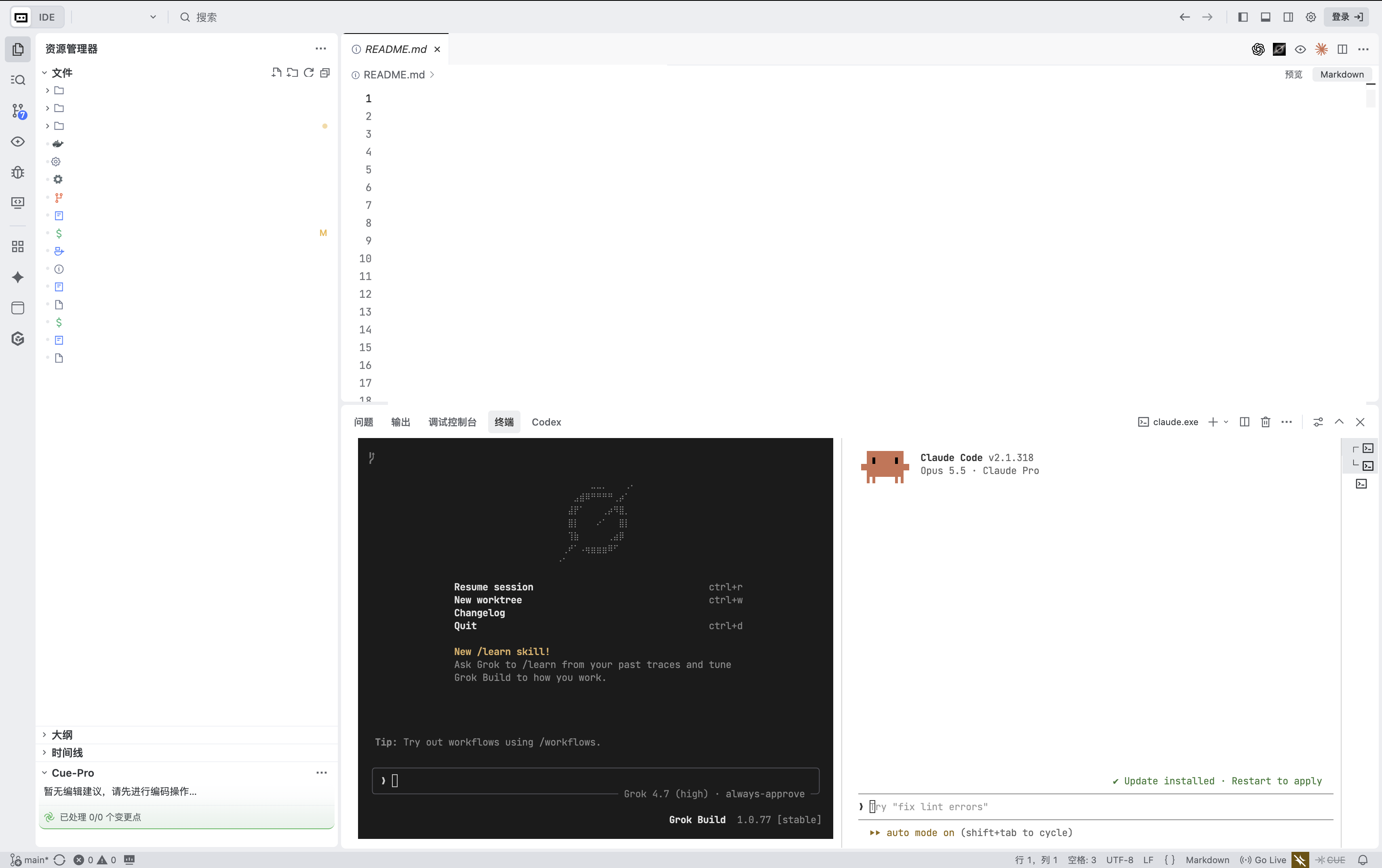
This is the TRAE workspace. The useful part is that I can sit next to more than one AI tool, Grok Build and Claude Code among them, and work in the same place. It would be better if they could talk to each other. I have not gotten that working yet.
The AI can see the files in the project. Compared with separate chats, it is flatter. More like everyone in one meeting room. The browser feels like separate offices. For a site map, or for internal links, that flat way lets the AI finish the job with less back and forth.
The files live on my own computer. If I need a backup, I put it on GitHub.
How I set it up
I open a repo on GitHub first. I usually make it private, unless the project is going on GitHub Pages.
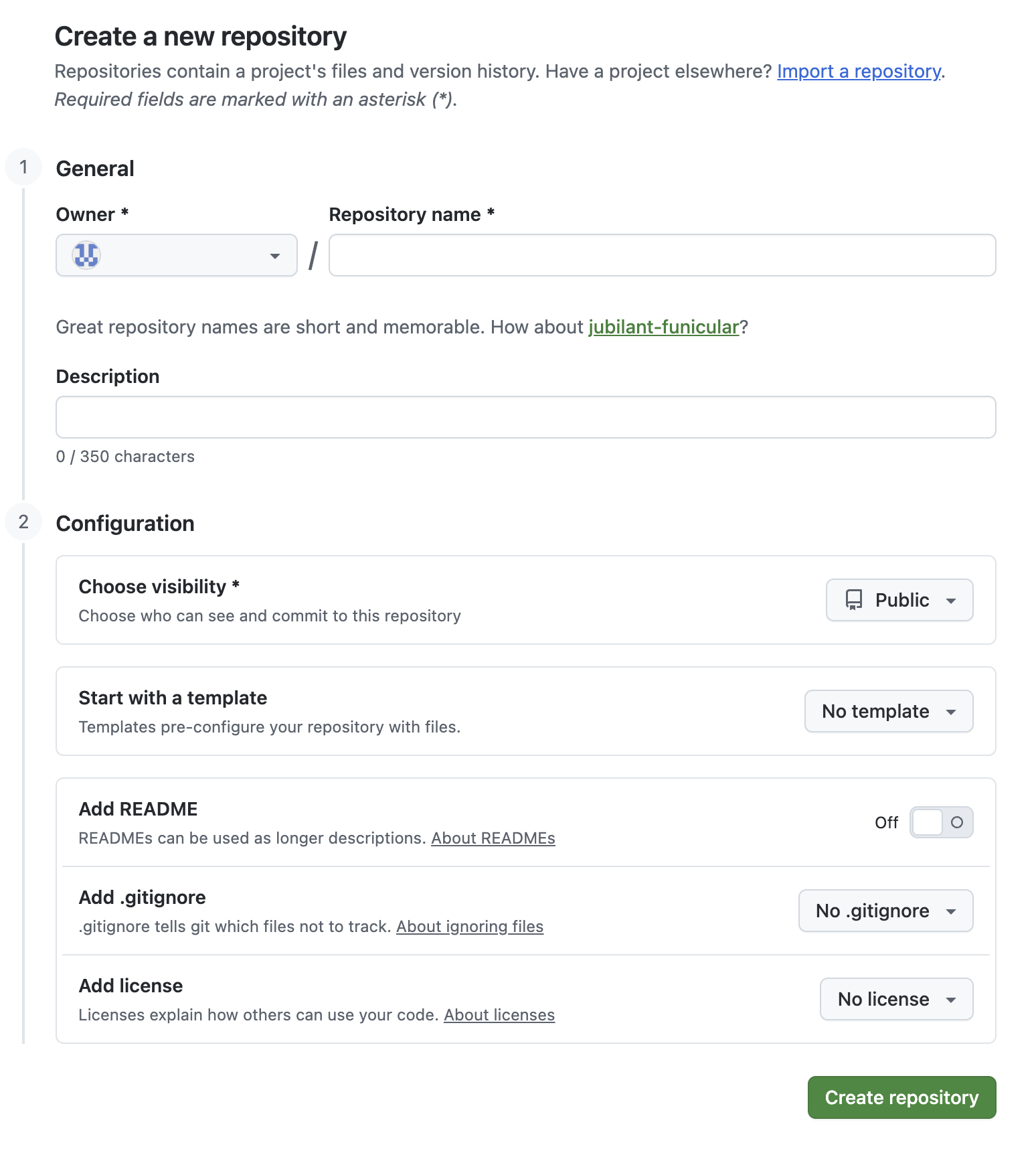
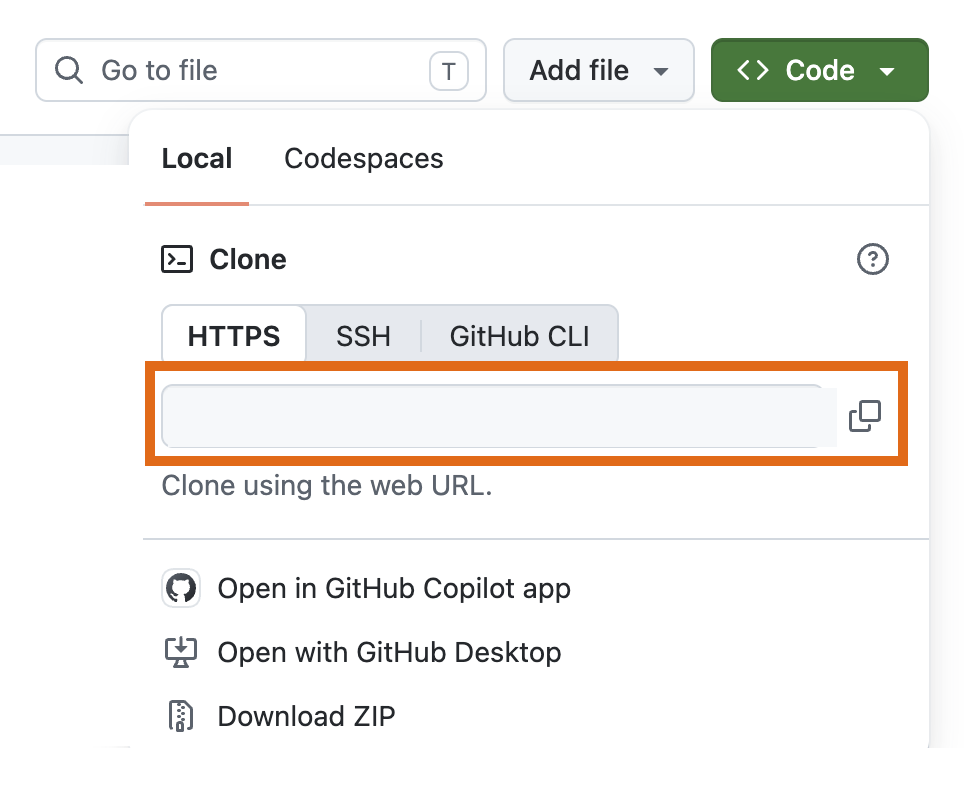
That gives me an HTTPS address for the repo. Back in TRAE I choose clone.
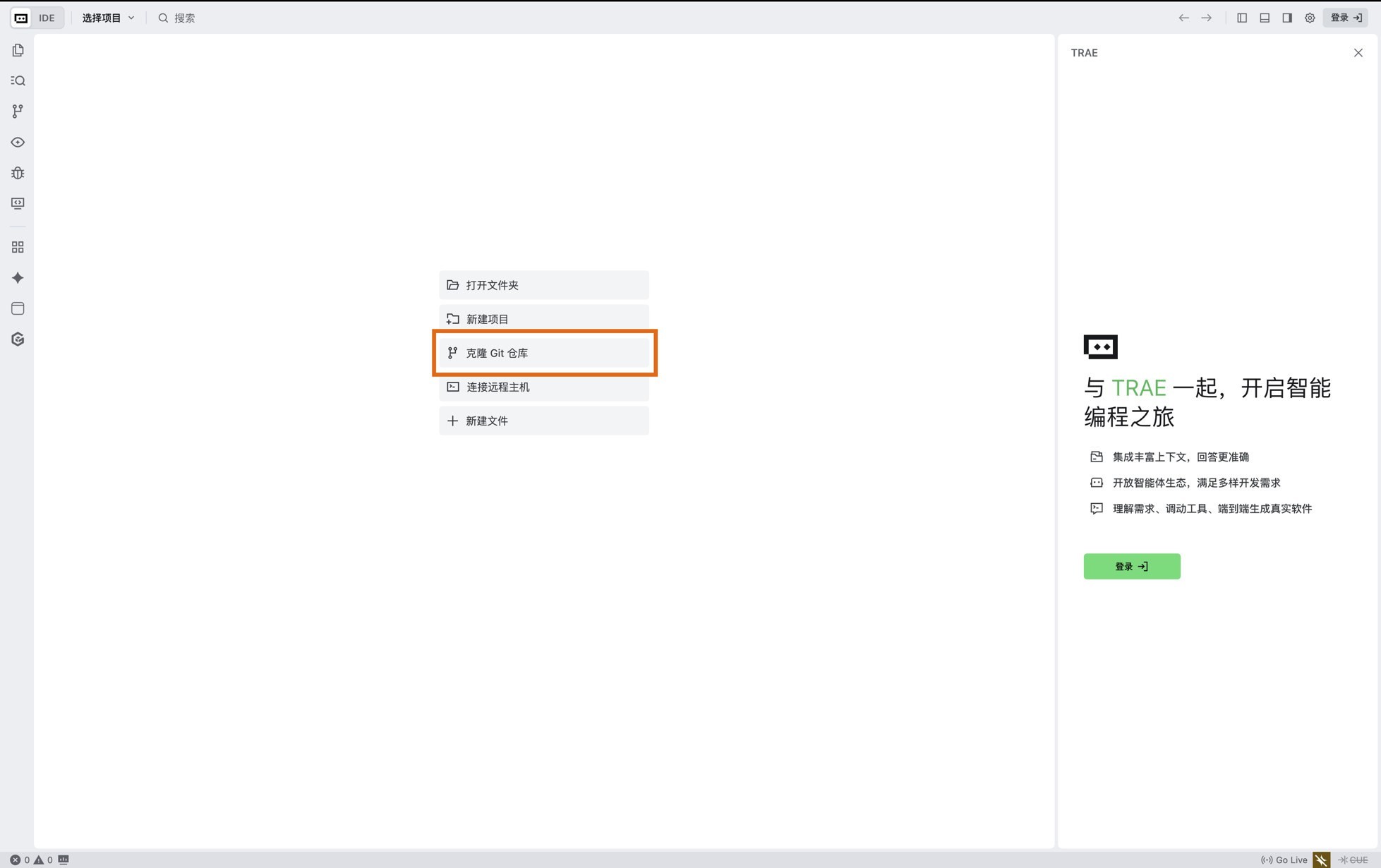
I paste the HTTPS address.

Then it asks where the local folder should be. After I confirm, I get an empty workspace.
Next I connect an AI tool. I can install it as a plugin. That one feels like a chat, which is easy. I can also open it from the terminal. I use the terminal. I might be imagining it, but that one feels smarter.
Then I start the project. I tell Claude, plainly, that I am building a site and these are the conditions. It gets going. I go get a coffee.
From there I can ask it to do whatever the project needs.
One workspace per market
When I have to look after more than one market, and more than one site, I keep the sites from the same market in one workspace. Research notes can sit there too. I don’t start a new pile every time, and that saves me a lot.
The research step is in how I use AI to pick a niche.
I can even ask Grok to deploy the site to Cloudflare. That part is convenient.
Pick the one you can start with
Once the IDE feels familiar, the work really does get lighter. The first stretch takes more time. Don’t make it complicated. It is a tool. Pick the one you can start with fastest.
The rest of the AI notes are still in Chinese, on the AI workflow shelf.


Write me
Email is enoughIf a step here does not match what you are seeing, or you got stuck halfway, email me. The subject already has this note's title, so I know which one you mean.